

Over the past few weeks I've been building OSINT Navigator — a RAG-powered search engine that consolidates 7,500+ OSINT tools into a single interface, with an MCP for agents to use directly in the CLI. Building this with craig and alexios at Indicator to launch it alongside experts in the field, to a large community of open-source researchers.
The database of OSINT tools we've pulled from online toolkits is open-source, with sources accredited for each row.
Open-source OSINT tool database with accredited sources
Alongside Navigator, I've also built an OSINT skill file — a structured markdown reference that gives CLI agents and local models investigative expertise to draw on.
The OSINT skill
The skill gives you three capabilities:
/osint — tool catalog
- 150 curated tools organized across 20 investigation types
- Routing table that matches your question to the right tools
- Comparisons, OPSEC basics, and free vs paid alternatives
/investigate — methodology
- Step-by-step techniques from training materials and online resources
- Platform techniques, search operators, verification, geolocation, person investigation, archiving, and transport tracking
- 10+ real-world case studies with inline OPSEC warnings at each step
/follow-the-money — financial investigation
- Corporate ownership tracing — UBO traversal using OpenCorporates, national registries, and officer overlap analysis
- Offshore structures — secrecy jurisdictions, ICIJ Offshore Leaks Database, OCCRP Aleph
- Budget and revenue monitoring — government budget analysis, FOI strategies, EITI/PWYP frameworks
- Asset tracing — property registries, court documents (PACER, BAILII), trade data, sanctions databases
The skills budget and revenue methodology was built by extracting structured data with LlamaParse from the Open Society Institutes Follow the Money: A Guide to Monitoring Budgets and Oil and Gas Revenues by Jim Shultz (Revenue Watch, 2005).
The three work together: /osint points to /investigate when you need technique, not just a tool, and /investigate points back when you need alternatives. Online, both tap into OSINT Navigator — a database of 7,500+ tools with country-specific sources and weekly updates — turning a three-tier system (tool catalog → methodology → deep discovery) into a single workflow. Both skills also work fully offline if you need your queries to stay on your machine.
The OSINT community runs on shared knowledge. We wanted to make these tools available to anyone, with options to use them at no cost.
Full source code — install via Claude Code marketplace
Install via Claude Code
If you use Claude Code, install directly from the plugin marketplace:
/plugin marketplace add buriedsignals/skills
/plugin install osint@buriedsignals
Once installed, the skill activates automatically when you ask investigation questions.
Using it with LM Studio
OSINT requires being online. But if you'd rather keep your investigation questions off a frontier model API, you can run the skill files on a local model with LM Studio.
Load a model, larger models handle multi-step workflows better — and use LM Studios Chat with Files feature. I suggest downloading these reference files, attaching them to your chat, and asking your questions:
- Tools-by-category.md — the full catalog of 150 OSINT tools
- Investigation-guides.md — step-by-step methodology checklists
- Follow-the-money references — corporate ownership, offshore structures, budget monitoring, asset tracing
LM Studio injects the full file contents into the models context. No chunking, no embedding loss. Your questions stay on your machine.
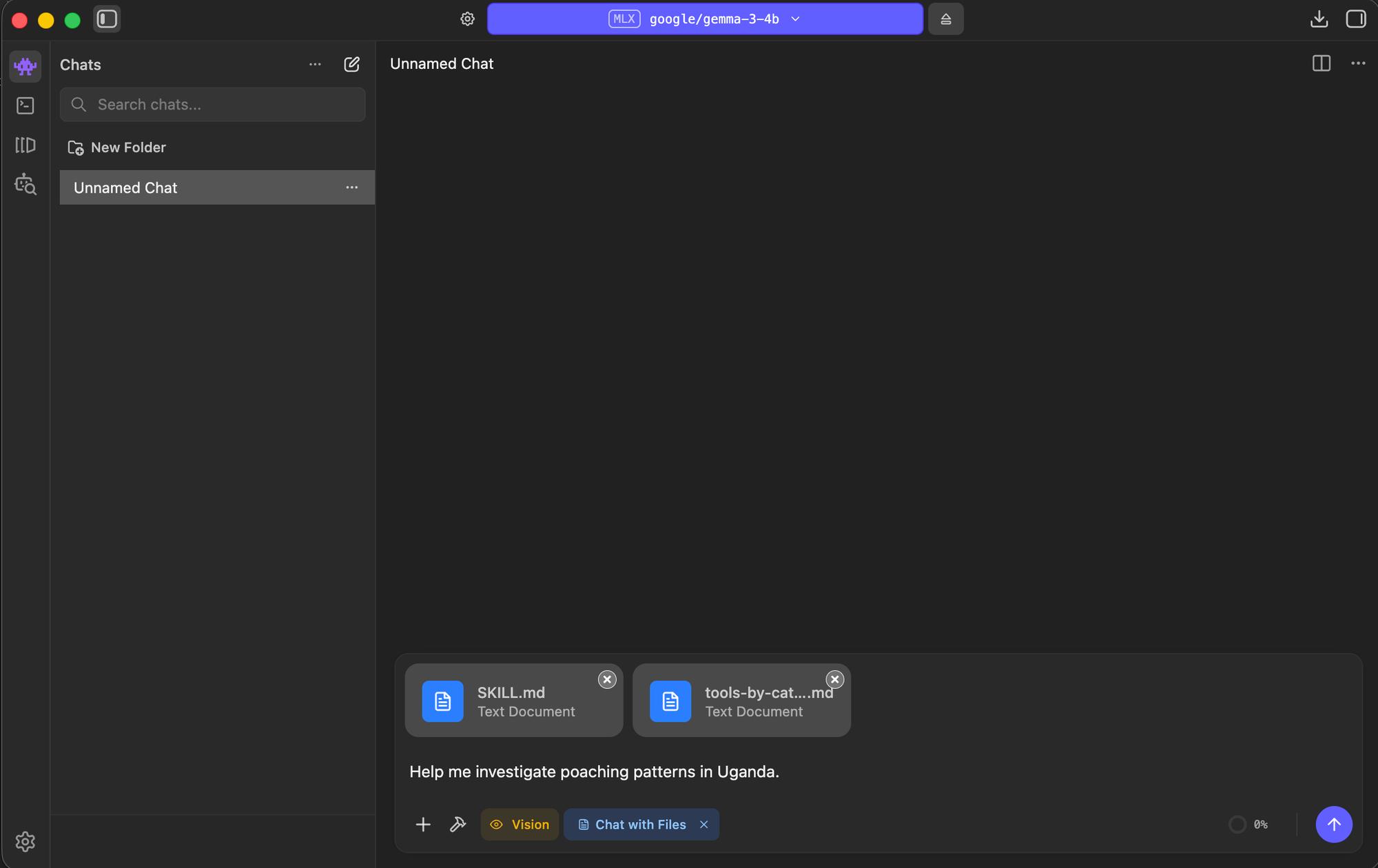 gemma 3 4B in LM Studio with the OSINT reference files attached via Chat with Files.
Links
- OSINT Navigator — live tool discovery with 7,500+ tools, launching end of march
- GitHub repository — full skill source code, install via Claude Code marketplace
- HuggingFace dataset — the underlying OSINT tool database (open-source)